
ActiveX and WinForms .NET Controls and Tools for C#, VB, VBA, VSTO
iGrid: ActiveX and WinForms Grid Control
iGrid is our flagship grid control for the ActiveX and WinForms .NET platforms:
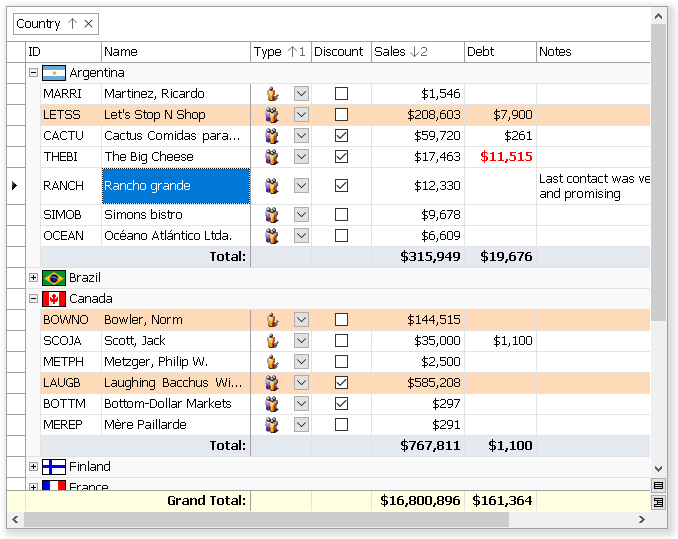
- Powerful and super-fast replacement for the ActiveX/.NET DataGrid and DataGridView grid controls shipped with the classic Visual Basic (VB6) and Windows Forms .NET.
- Editable replacement for ListView and VB6 MSFlexGrid, with better functionality and optimized flicker-free drawing.
- iGrid ActiveX works perfectly in Microsoft Word and Excel as a VBA grid control on UserForms. It is also a versatile Microsoft Access grid control.
- iGrid.NET is an advanced DataGridView alternative for VB.NET/C#.
- The object model is very simple so you can start to use it in minutes.
- This component is the ideal choice if you need an unbound grid control for ActiveX/.NET development.
Latest News
Meet iGrid.NET 14 with Dark Mode and .NET 10 Support
2026-Apr-06
iGrid.NET 14 is a major update to iGrid.NET and its add-ons. The jump in version number from 12 to 14 reflects the scale of the changes introduced in this release. Among the most notable of them is dark mode support, introduced in line with the full dark mode support officially integrated into Windows Forms in .NET 10. The grid now ships in separate .NET 10 builds with built-in support for this mode, making it a more natural fit for modern WinForms applications built with the latest .NET technologies:

This release also delivers improved high-DPI support, introduces a much simpler system for controlling the overall rendering style of the control, and adds new properties for finer control over the grid’s color appearance in both light and dark user interfaces. Along with these highlights, the release includes many other improvements throughout the product. As always, all improvements and changes are covered in detail in the comprehensive What’s New document for the product.
The documentation has also been updated to reflect the new capabilities introduced in this release. In addition, the demo installation now includes a new sample demonstrating the grid’s main visual features in dark mode.
HKCU and HKLM registration for Modern Editions of 10Tec ActiveX controls
2025-Dec-17
New builds of the latest modern editions of our two ActiveX controls—iGrid and ImageList—are now available. Two sets of OCX files are now provided for each control. The first set is used for registration for the current Windows user and does not require administrator rights (registration in the HKCU registry hive). The second set is used for registration for all Windows users and requires administrator rights (registration in the HKLM registry hive).
These new builds for the free 10Tec ImageList ActiveX are already included in the updated control pack:
64-bit 10Tec ImageList ActiveX available
2025-Nov-18
Great news for all developers using iGrid ActiveX: the true 64-bit 10Tec ImageList ActiveX is now available! Now you can create applications that display images in our ActiveX grid in 64-bit Microsoft Office and other 64-bit ActiveX/COM development environments, such as twinBASIC:
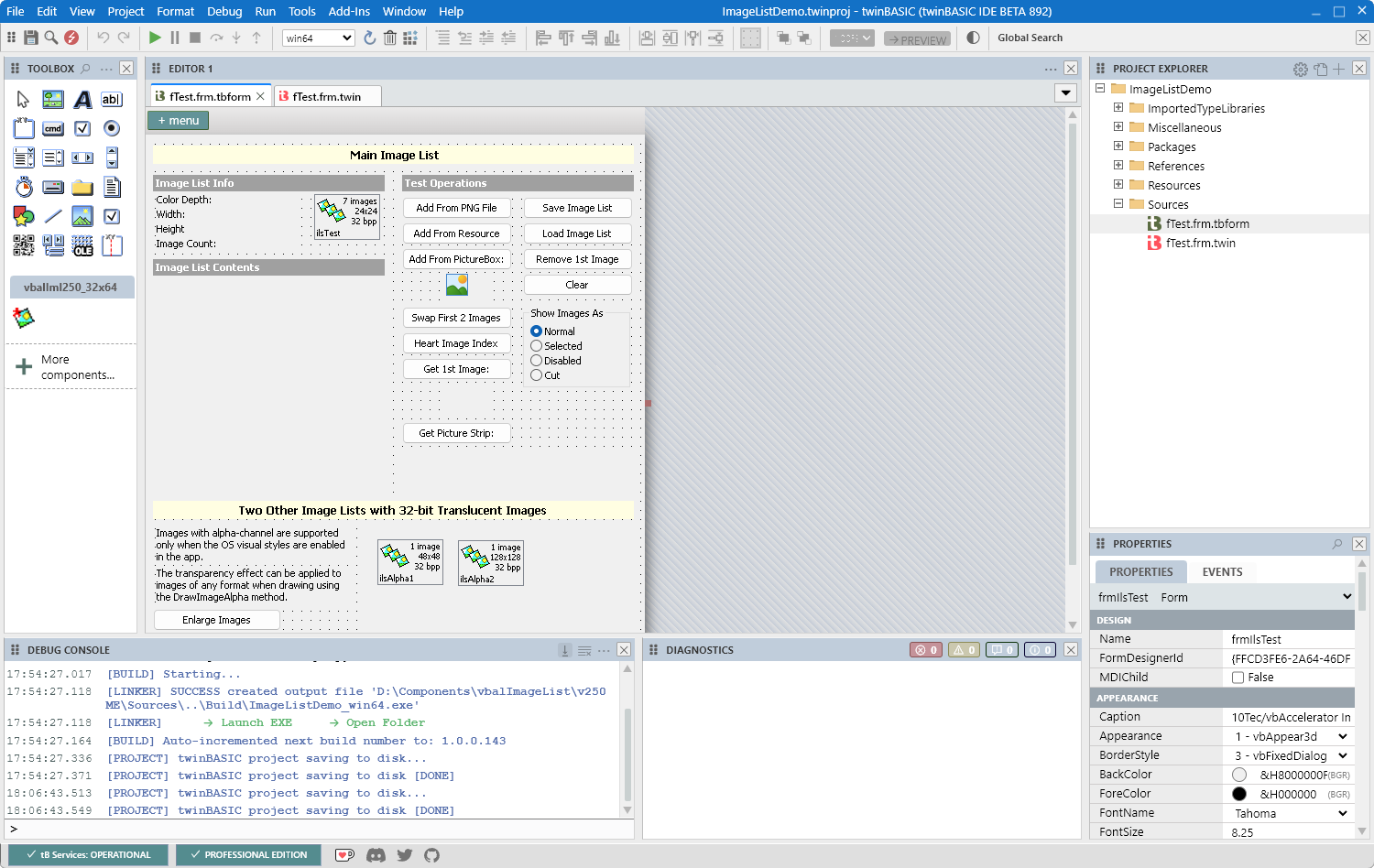
This new version of the product is called Modern Edition. It can be used to create user applications for both 32-bit and 64-bit CPU architectures.
The design-time interface of ImageList, accessible in the ActiveX control's property pages, has been improved. It now supports OS visual styles and high-resolution screens.
The existing version of the product, now called Classic Edition, has also been updated. It fixes bugs that have been found in the product recently.
The creation of the Modern Edition of 10Tec ImageList ActiveX was made possible by the further evolution of twinBASIC. For the development of Modern Edition, we transformed the VB6 source code of Classic Edition into a twinBASIC project and adapted it for compatibility with 64-bit architecture.
For more information about the new Modern Edition of 10Tec ImageList control, please refer to the updated product section and the What's New document for this edition:
iGrid ActiveX and its demo updated
2025-Nov-18
iGrid ActiveX has been updated. The latest builds of the Modern and Classic Editions fix a critical bug when copying the contents of group rows. An issue with displaying disabled Modern iGrids in Microsoft Access has also been fixed.
The demo for iGrid ActiveX has been updated as well. The new demo includes samples demonstrating how to use the Modern Edition of 10Tec ImageList ActiveX in both 32-bit and 64-bit Microsoft Access/Word/Excel.
Major update of iGrid.NET: v12 with built-in group summaries
2025-Aug-01
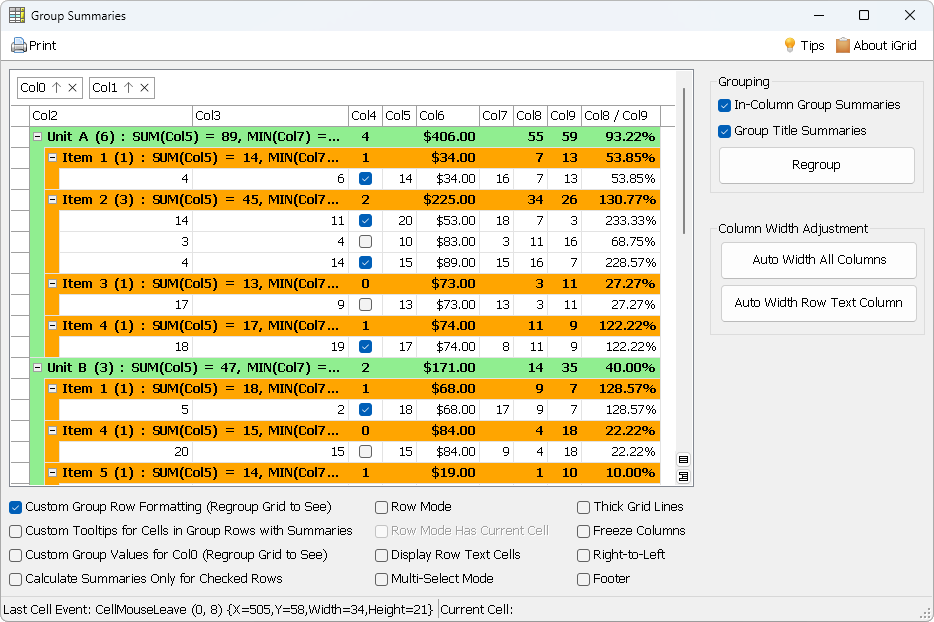
We are pleased to announce a significant update to our WinForms grid control. Meet iGrid.NET 12.0, which took a whole year to design, develop, and test. This major update introduces a lot of new features and enhancements. The most notable new feature is built-in group summaries of two types: in-column group summaries and group title summaries. They are demonstrated in a new dedicated example included in the demo:
Among other improvements, you will find:
- Customizable item count in group titles.
- Optimized support for LINQ extension methods in iGrid collections.
- Twice as fast for-each loops on iGrid collections.
- Universal infrastructure for resetting properties of iGrid and other core components.
- Enhanced automatic column width and row height adjustment with smart handling of merged cells.
As always, you can find a detailed description of all changes in the accompanying What's New document. For iGrid.NET 12.0, this file is 22 pages long!
The product documentation has also been significantly improved and includes both descriptions of all major new features and improved topics for features from previous versions. Read the documentation for iGrid.NET 12.0 and see the updated demo, which demonstrates the new features in action, to learn more about the capabilities of the latest version:
Service update for iGrid ActiveX, Classic and Modern Editions (build 72)
2025-Aug-01
This update improves the speed of scrolling and column resizing in both editions of iGrid. An issue with the arguments of the ColHeaderEndDrag event was also fixed in both editions. Several important issues of the Modern Edition in Microsoft Access have been fixed in this update too.